
The shelves look healthy. There are hundreds of units in the building. Yet the next bundle cannot be completed because its smallest component has run short.
That problem starts in the bill of materials: the list of components and quantities required for one finished bundle. A stock total that ignores that relationship is not a kit-production plan.
Count complete sets
Shopify documents bundle availability by dividing available component quantities by the quantity required per bundle, then taking the lowest whole-number result. It also warns that inventory-tracking settings and continue-selling settings affect the calculation. Shopify bundle considerations.
Do not assume that a storefront calculation proves the warehouse can assemble and ship the set. You still need the right component mapping, usable stock and an agreed physical process.
A worked component bottleneck
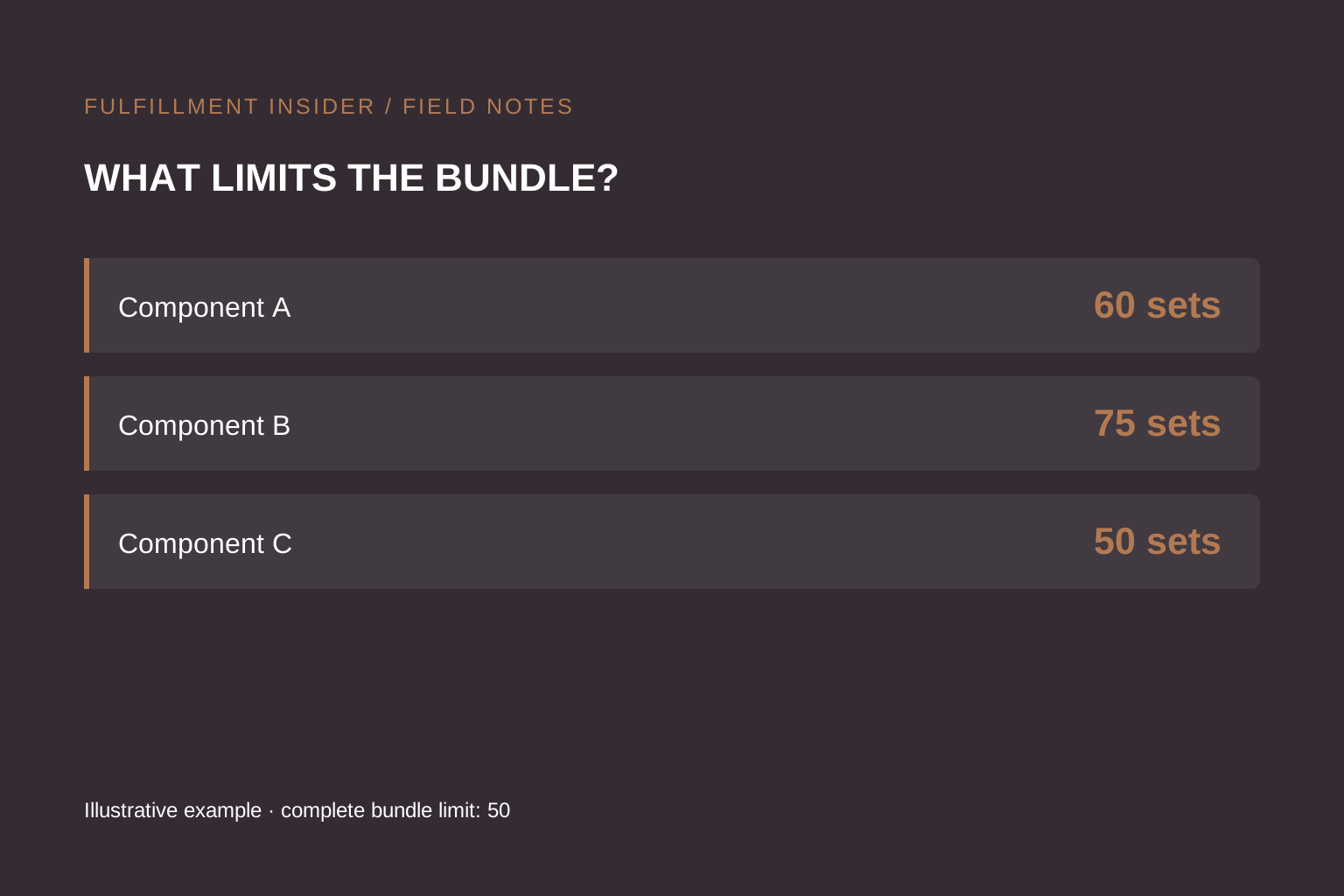
Our synthetic example is a gift set containing two bottles of A, one jar of B and three sachets of C. All quantities below are assumed usable and available to this set; no other orders consume them during the calculation.
| Component | Available units | Units per set | Complete sets supported |
|---|---|---|---|
| A | 120 | 2 | 60 |
| B | 75 | 1 | 75 |
| C | 150 | 3 | 50 |
The limit is 50 complete sets. Adding 100 units of B changes nothing: C still limits production. Adding 30 units of C raises its capacity to 60 sets, at which point A becomes the limiting component.
For a 70-set target, A needs 140 units, B needs 70 and C needs 210. Against starting stock, that means 20 more A and 60 more C. B already covers the target. This is arithmetic on invented inputs, not a purchasing recommendation for an actual brand.
Check the quantities the warehouse is using
Ask whether the availability feed includes quality-held stock, stock allocated to other orders, goods arriving tomorrow or components already consumed by prebuilt kits. Those answers determine the input to the calculation.
If A also sells on its own, bundle availability can change as individual orders arrive. Agree when reservations occur and which system is authoritative. Do not use yesterday's screenshot as proof that today's launch quantity is still buildable.
For preassembled kits, ask how component consumption becomes finished-kit inventory. For assembly at order time, ask how component lines reach the pick task. These are different workflows and should have different acceptance tests.
Test the shortage, not just the happy path
Propose a supervised test where one component falls below the quantity needed for the next set. Record the resulting storefront availability, order import and warehouse exception. Then replenish that component and check the recovery path.
We have not executed that test against a Shopify store or WMS. Its value is as a concrete demonstration request before a launch, not a claim that any particular integration passes.
A useful launch readiness check is therefore more specific than “inventory received.” It asks whether the planned number of complete sets can be built, whether shared-component demand is accounted for and who approves substitutions. Continue with the subscription-kitting workflow and the inventory-mismatch guide when system quantities disagree.
Sources
- Source 1 — accessed September 25, 2026.