
What to take from this
- Start with the storefront order ID and find the matching warehouse reference.
- An order may lack a component, require packaging approval, or contain an address the shipping system cannot use.
- Illustrative example: customer support changes the delivery address after the warehouse has created a label.
Follow the order across the handoff
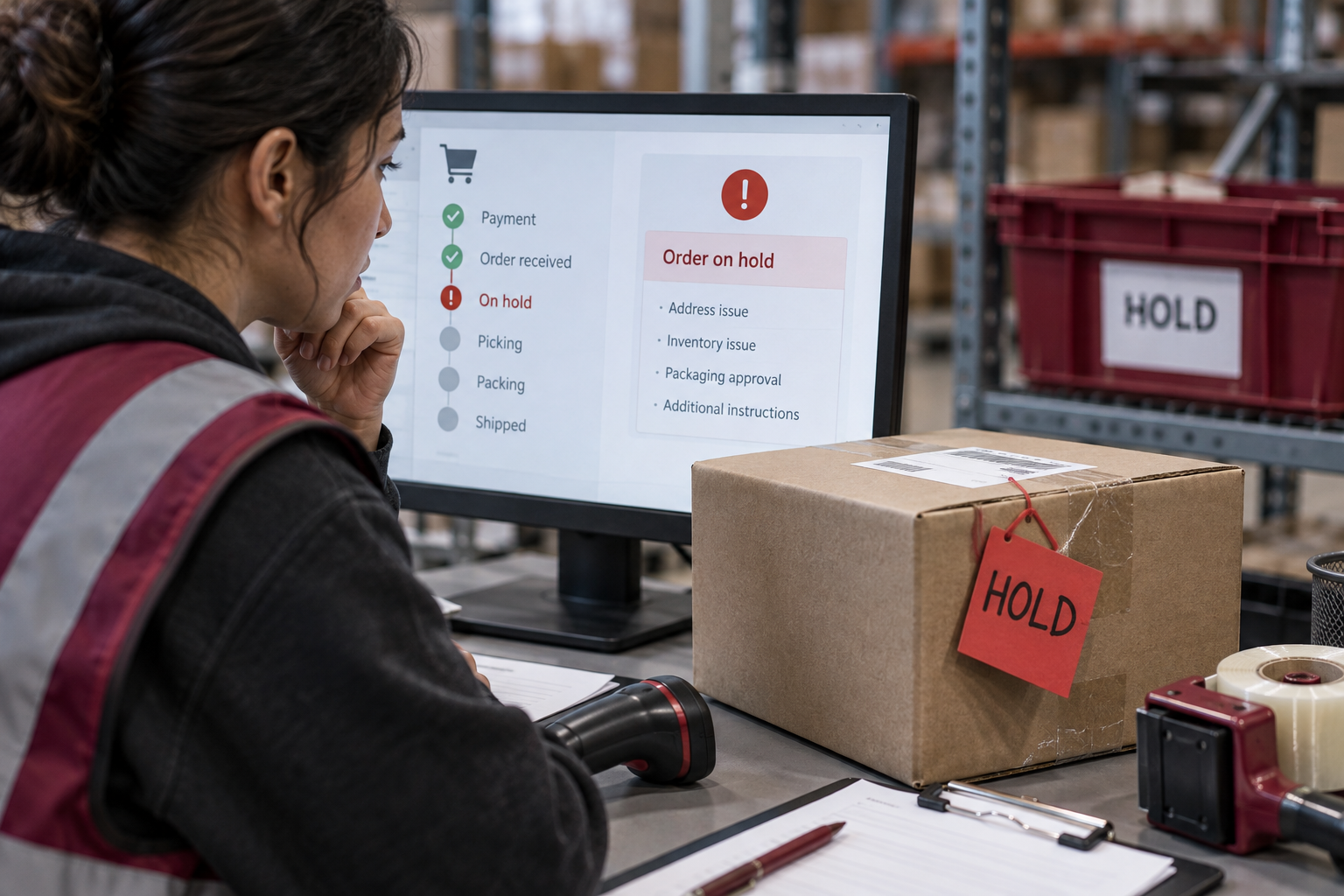
Start with the storefront order ID and find the matching warehouse reference. Confirm the request reached the fulfillment service and whether it was accepted, rejected, or held. Avoid relying on a single customer-facing status. An integration can acknowledge an order before the warehouse has everything needed to execute it. Ask for the event log rather than assuming silence means that picking has begun.
Separate stock holds from instruction holds
An order may lack a component, require packaging approval, or contain an address the shipping system cannot use. Give each hold a specific reason code. “Pending” is too broad to tell a customer-support team what to do next. Record whether the action belongs to the brand, the warehouse, or an integration owner, and include the time the request was sent to that person.
Decide which changes require revalidation
Illustrative example: customer support changes the delivery address after the warehouse has created a label. Ask whether the change cancels the original label, pauses packing, and creates a fresh shipment reference. Updating only the storefront can leave two systems describing different destinations. Test the supported change process before advertising late edits as a service your operation can reliably provide.
Make the exception queue actionable
Sort the queue by customer impact and age, then assign owners to the oldest unresolved items. Keep a daily list of decisions needed rather than circulating all orders with a generic delay message. When an order ships, close its hold with the resolution reason. Over time, recurring causes can inform better product data, checkout validation, stock allocation, and internal approval rules.
Checks to run
- Locate the last confirmed event in both systems.
- Assign an owner and deadline to each hold.
- Test address changes, cancellations, and partial availability.
A couple of questions
Does paid always mean ready to ship?
No. Payment status and fulfillment readiness describe different parts of the order workflow.
Should every hold be escalated immediately?
Use age and customer impact to prioritize, with an agreed threshold for urgent exceptions.
Reference and scope
Shopify: fulfilling orders — Background on fulfillment workflows and working with fulfillment services.
The recommendations are editorial guidance. Worked scenarios are illustrative, not reported provider results. How we research and handle featured placements.
 A short inbound shipment: trace the discrepancy before adjusting stock
 Why Shopify and your 3PL show different inventory numbers