
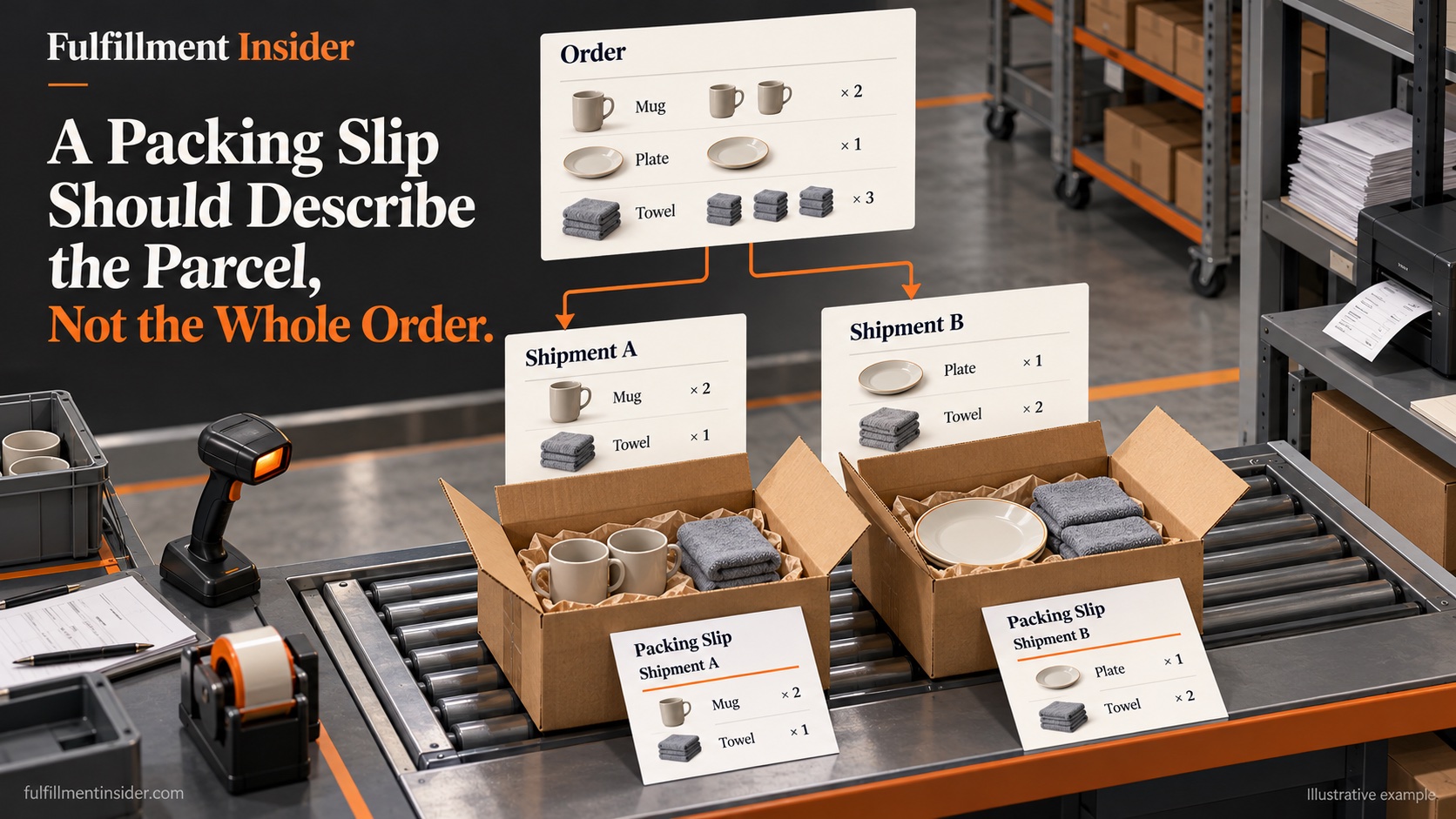
One order can create several physical shipments. If every parcel receives the same full-order packing slip, the document may suggest that absent items were packed inside. The warehouse needs a clear relationship between the order, the shipment and the printed contents list.
Shopify’s packing-slip guidance describes slips for the items in a specific shipment and supports separate slips for multiple shipments. It also permits template editing. That documents Shopify behavior; it does not prove a connected WMS uses the same template or regenerates a document after a change.
Follow a three-line order into two shipments
We constructed this small desk example to test document scope. It is not a software test or a claim about a provider.
| Order line | Ordered | Shipment A | Shipment B |
|---|---|---|---|
| Mug | 2 | 2 | 0 |
| Plate | 1 | 0 | 1 |
| Towel | 3 | 1 | 2 |
| Total units | 6 | 3 | 3 |
Each shipment contains three units, but the contents differ. Printing “six units” as the packed contents of both parcels is wrong even though the order total is correct. The useful check compares each line, not merely the grand total.
Identify which system prints the paper
Ask whether the slip comes from the storefront, order manager or warehouse system. Identify the record and event used to generate it. If staff print documents before final shipment allocation, define when a changed allocation requires a new slip and how obsolete copies are removed from the packing area.
The same issue applies when an item is held after printing. Updating the screen does not establish that the paper in the carton changed. Give the operator a clear trigger for reprinting and a way to link the final document to the shipment reference.
Separate contents from the customer explanation
A contents list answers what is in this parcel. A note about outstanding goods answers what happens next. If both appear on one document, label them distinctly so a customer does not read “ordered” as “included.” Avoid promising a date for the remaining shipment unless the underlying process supports it.
Template changes also need representative checks. Long product names, repeated SKUs and partial quantities can expose ambiguity that a one-item sample misses. Use approved sample data and inspect the actual printed layout, not only the template editor.
Make a bounded acceptance exercise
Before launch, propose three sample cases: a complete shipment, a split line and a hold applied after an initial document was generated. Ask the 3PL to show the final slip and its shipment reference for each. No such exercise was performed for this article.
The acceptance rule is simple: the document must describe the shipment that leaves. A polished branded template is valuable only after that relationship is reliable. Keep the document check within the packing workflow so that customer service does not have to explain an avoidable mismatch later.
Related reading
Sources
- Shopify printing and editing packing slips — accessed 2026-10-19.