
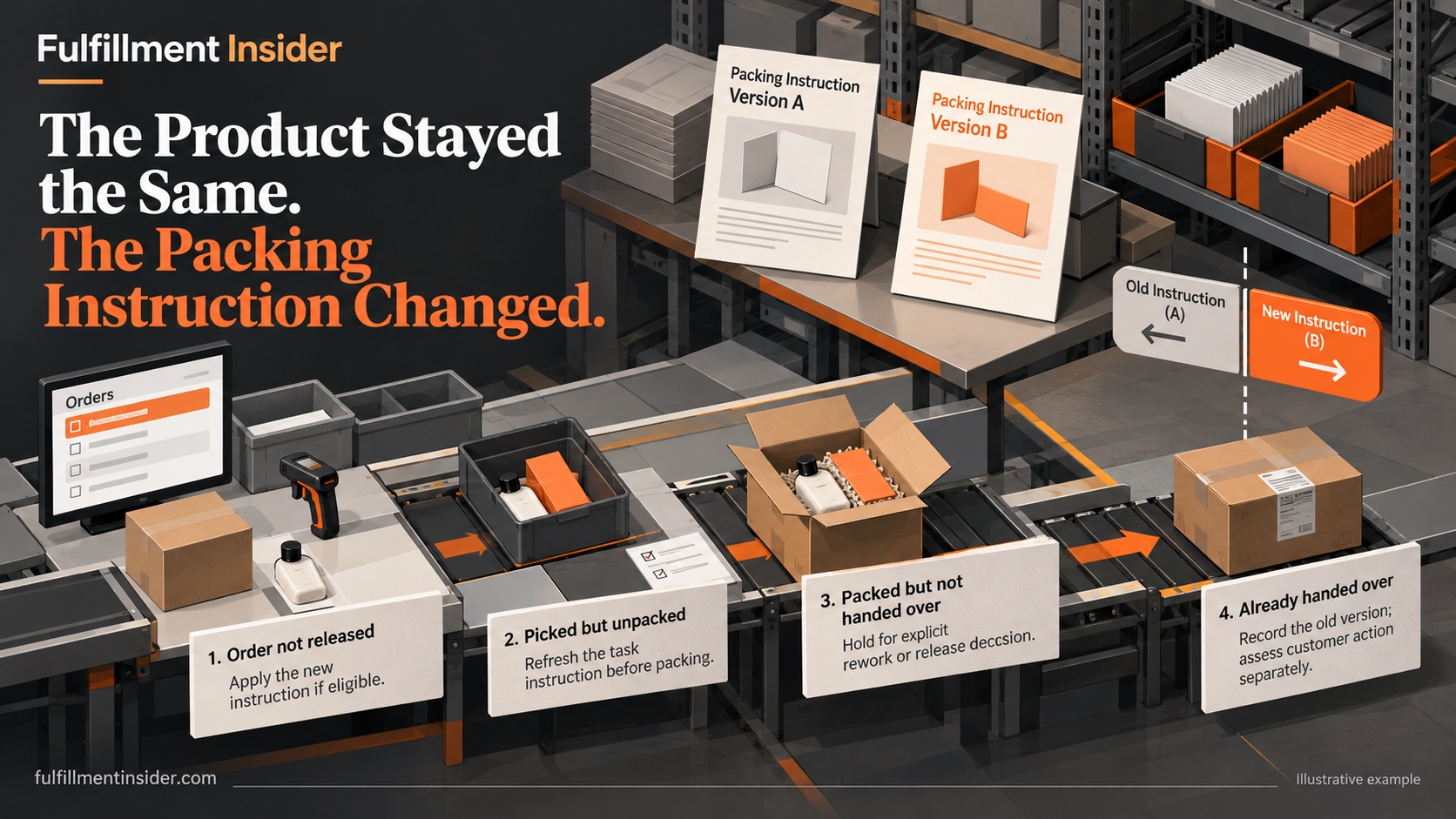
Find the orders between the old and new instruction
A revised packing instruction can leave two valid-looking documents on the warehouse floor. The new version is in an email; the old version is printed at the bench. Meanwhile, some orders have been picked and others are already sealed. A date in the document header does not decide which instruction applies to each order.
Before a brand changes inserts, protective materials or presentation, agree an operational boundary with the 3PL. It could be an explicit order list or another system-supported rule. Avoid a vague “starting Monday” instruction when release times, time zones or delayed orders could produce different interpretations.
Work through the transition states
We built a four-state desk review for a hypothetical change from insert A to insert B. Both inserts are assumed approved and interchangeable for product safety; this is not a regulatory labeling scenario. No warehouse was tested. The purpose is to expose decisions that a document replacement alone leaves open.
| State at the agreed cutover | Proposed decision to approve |
|---|---|
| Order not released | Apply the new instruction if eligible |
| Picked but unpacked | Refresh the task instruction before packing |
| Packed but not handed over | Hold for explicit rework or release decision |
| Already handed over | Record the old version; assess customer action separately |
The packed order is the important boundary case. Automatically reopening every parcel might create unnecessary work; automatically releasing every parcel might defeat the change. The brand must decide which outcome is acceptable before the warehouse encounters the case.
Keep product identity and work instructions distinct
Shopify describes SKUs as internal inventory identifiers and recommends unique identifiers for product variants. A SKU identifies the product; it does not, by itself, tell a packing operator which revision of an instruction to follow. Shopify SKU guidance.
Use a separate instruction revision identifier and map it to the relevant products and orders. This is our proposed control, not a Shopify feature claim. If the physical product itself changes, review its product and barcode identification requirements separately. Do not create new product identities merely to compensate for an uncontrolled document process.
Remove the obsolete instruction deliberately
Ask the provider where the instruction appears: workstation printout, training sheet, WMS task, shared folder or customer portal. Assign an owner to replace each copy and record the time. Keep an archived copy for investigating earlier orders, clearly separated from the current work instruction.
Then reconcile the materials. Count remaining insert A stock and decide whether it is retained for permitted exceptions, returned or disposed of under authorization. Mixing obsolete and current materials in one bin makes the instruction change harder to execute even when the digital record is correct.
Verify the boundary before widening the change
Request a small, agreed review of orders on both sides of the cutover. Check the order identifier, instruction revision, packing evidence and any approved exception. This is a proposed acceptance check, not a claim of completed testing. If the provider cannot reconstruct which instruction governed an order, improve that trace before expanding the rollout.
A useful version history records who approved the change, why it changed, when it became effective and which exceptions remain. That history turns a packing dispute into a specific question about an order and a revision, rather than a search through several people's inboxes.
Related reading
Sources
Research accessed October 21, 2026.
- https://help.shopify.com/en/manual/products/details/sku